
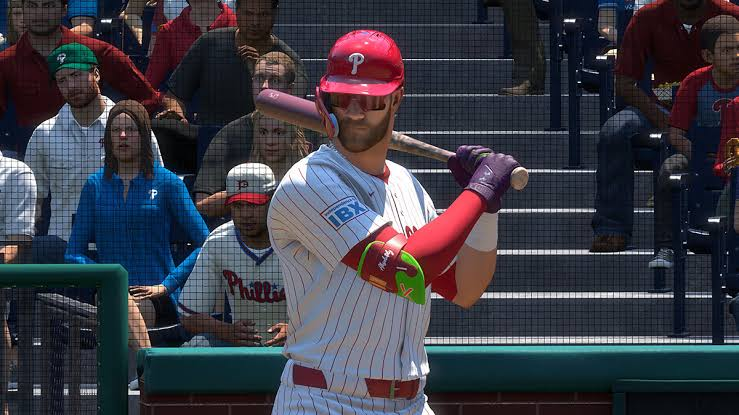
MLB The Show 26 arrived on March 17, 2026, with Aaron Judge on the cover, updated rosters, and smoother play across PlayStation 5, Xbox Series X/S, and Nintendo Switch. Franchise Mode still centres on real MLB clubs, but you can reshape one into something that feels like your own. If you are planning a long save, a sensible budget for MLB 26 stubs can help you think about player development and squad building without losing the realism that makes the mode enjoyable.
Build the Roster Before Starting Franchise
The best place to begin is the main menu. Open Create, choose Roster Control, and select the organisation you want to replace. The Player Movement screen lets you bring players in from other clubs, while the free-agent pool gives you another way to fill gaps. On PlayStation, use R1 and L1 to move through the available groups. On Xbox, use RB and LB. Created players work here too.
Do not fill every position with top-rated stars just because you can. A team with no weaknesses becomes dull very quickly, and its payroll can make future seasons awkward. Mix established players with younger prospects, then check the roster requirements. Press Square on PlayStation or X on Xbox to auto-fix the list. Save the file with a name you will recognise later.
Load the File and Shape the Club
When you start Franchise Mode, select Load Own Roster instead of the default live file. Choose Take Full Control, as the streamlined option limits the changes you can make. At the team selection screen, highlight the organisation you edited and open its options with Square or X. Check the roster once more before moving on. Small errors are much easier to fix here than after the season begins.
- Choose a city and a team name that fit the identity you want.
- Set the three-letter abbreviation, primary colour, and accent colour.
- Select a home stadium, including a classic park or a community-built venue.
- Save the changes before leaving the team editor.
Make the Uniforms Feel Personal
Use the Logo Vault to find a design, or start with a simple mark of your own. In Logo Editor, load the file, adjust its size with the right stick, and position it with the left stick. You can assign different artwork to the home jersey, road jersey, cap, and main emblem. The uniform menu also covers piping, base styles, and colour placement.
| Area | Useful choice | Why it matters |
|---|---|---|
| Roster | Balanced ages and ratings | Keeps several seasons interesting |
| Stadium | Park suited to your lineup | Changes how games feel and play |
| Branding | Clear colours and readable logos | Makes the club easy to recognise |
Keep the Club Ready for Future Saves
Once the identity looks right, save everything and use the export option to create a separate team file. That makes it easier to reuse the club in another Franchise save. Give the organisation a clear style, leave room for young players to grow, and let the roster develop naturally. That approach makes each season feel earned, especially when you manage resources such as MLB The Show Stubs as part of the wider team plan.
 English
Join our community to interact with posts!