
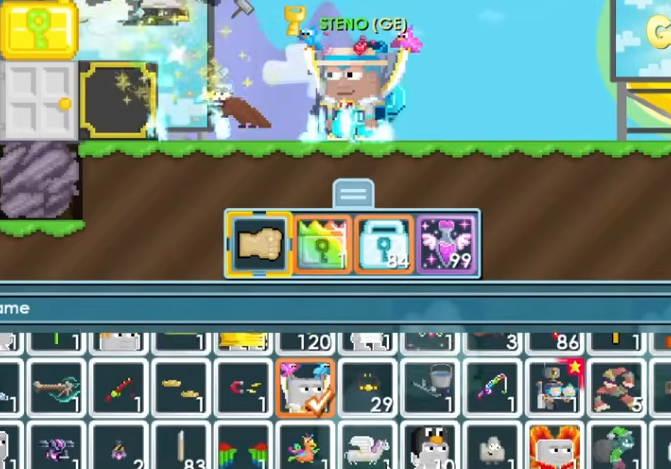
If you’ve been playing Growtopia for a while, you know that owning worlds can be both fun and rewarding. Whether you’re looking to expand your collection, trade for profit, or just find a new space to build, understanding how to buy, sell, and transfer worlds is key. Here’s a guide from a player’s perspective to help you navigate these processes smoothly.
Buying Worlds Safely
Buying a world might seem straightforward at first, but there are a few important steps to keep in mind. One of the first things you need is enough currency, usually World Locks, to make the purchase. If you’re low on currency or want a quicker way to secure a specific world, you might consider using services like U4GM. They can help you get the in-game currency efficiently, though always make sure you’re following safe practices and only using trustworthy sources.
Once you have the currency ready, the next step is finding a world you actually want. Browse through forums, Discord groups, or in-game trading hubs. Pay attention to the world’s layout, items, and build history. Don’t rush—sometimes a slightly higher price is worth it if the world comes fully equipped with valuable blocks or items.
When you’re ready to buy, double-check the trade. Make sure the World Locks are correctly counted and that both parties agree on the transfer. A small mistake here can lead to losing currency or even the world itself.
Selling Your Worlds
Selling a world requires some strategy if you want to maximize your return. Start by evaluating what makes your world appealing: custom builds, rare items, or popular themes can all increase demand. Set a price that’s competitive but fair; overpriced worlds tend to sit unsold for a long time.
A neat trick is to advertise your world in multiple places. In-game messages, trading Discords, and forums can help reach buyers who might be willing to pay more than random visitors in the world hub. When a buyer comes along, always conduct trades with caution. Confirm that they have the proper World Locks or other agreed-upon currency before finalizing the transfer.
If you’re planning to sell multiple worlds over time, keeping a spreadsheet or note of your past trades can help you track trends and know what buyers are looking for. Trust me, it makes future sales much smoother.
Transferring Worlds Between Accounts
Sometimes, you might want to transfer a world to another account, maybe for a friend or secondary account. Growtopia’s trade system makes this possible, but there are a few things to keep in mind. First, always check the account’s status. Accounts that have been flagged or banned in the past can complicate transfers.
When transferring, using a Builder Lock can be useful for managing who has access to specific builds or features in your world. If you’re thinking of upgrading your protection, consider options like the Growtopia Builder Lock to prevent unwanted changes after the transfer. Keep in mind that this step is separate from buying World Locks, and it’s about safeguarding your world rather than purchasing it.
Pro tip: do transfers during times when the servers are less crowded. It reduces lag and the chance of glitches, making the process smoother.
Additional Tips for Traders
Trading worlds in Growtopia is part art, part strategy. Here are a few extra pointers from my own experience:
-
Always confirm the currency in the trade window. Never trust verbal agreements only.
-
Keep track of rare items that could increase your world’s value.
-
Be patient. Sometimes a world that seems undesirable can find a buyer willing to pay top price.
-
Learn basic negotiation tricks—small concessions can make a big difference in completing a sale.
Buying, selling, and transferring worlds may feel daunting at first, but once you understand the steps and stay cautious, it becomes one of the most rewarding parts of Growtopia. Remember, the community is a big part of the game. Engage with other players, share tips, and you’ll quickly find yourself navigating trades like a pro.
By planning your purchases, protecting your worlds, and trading smartly, you’ll get the most out of your Growtopia experience. And if you ever need a bit of extra currency, services like U4GM can give you a leg up—just make sure to use them wisely.
 English
Join our community to interact with posts!