
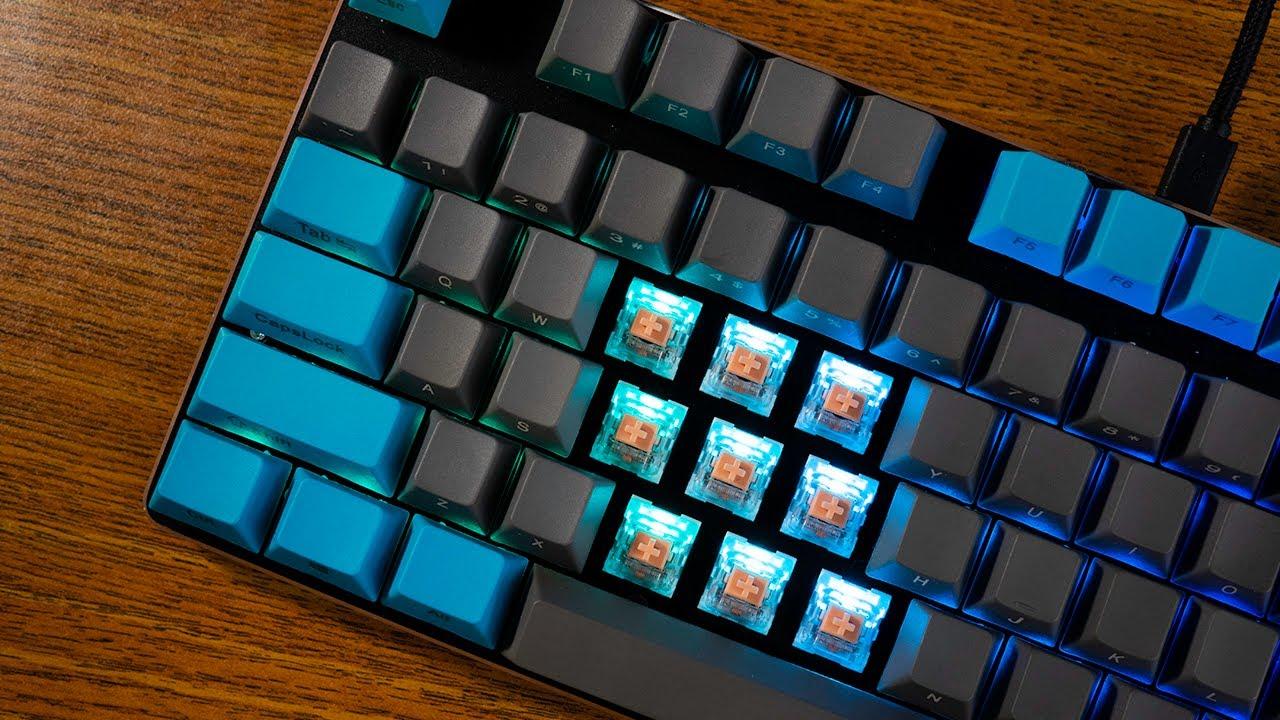
In today’s world of digital interactions, typing has become an essential skill that is used daily for communication, work, and leisure. Whether you’re working on a document, coding a program, or chatting with friends, the keyboard plays a significant role in facilitating this process. A hands-on keyboard test offers an in-depth analysis of typing experience, comfort, responsiveness, and overall efficiency. The focus is not just on the technical specifications but on how the keyboard feels during use and how it can impact productivity. For those curious about the performance of various keyboards in real-world scenarios, a hands-on keyboard test can be a valuable tool to help make an informed decision.
Hands-On Keyboard Test reviews assess different types of keyboards available in the market, from mechanical to membrane models. Each keyboard offers unique features, and the typing experience can vary significantly depending on the design, switch type, and build quality. The hands-on test allows potential buyers to evaluate the tactile feedback, key travel, actuation force, and noise levels—key factors that influence typing comfort and speed. This article will explore the various aspects of a keyboard’s performance, breaking down each element for a comprehensive typing experience review.
1. Types of Keyboards
When considering a new keyboard, one of the first decisions you’ll face is whether to go for a mechanical or membrane keyboard. Both offer distinct benefits and drawbacks, making it essential to understand their differences before making a purchase.
Mechanical Keyboards: These keyboards are known for their durability, responsiveness, and tactile feedback. They use individual mechanical switches under each key, which offer a distinct "click" sound and a satisfying tactile bump when pressed. The primary advantages of mechanical keyboards include faster typing speeds, greater accuracy, and a more enjoyable typing experience for those who type frequently.
Membrane Keyboards: On the other hand, membrane keyboards are quieter and more affordable than mechanical ones. They use a rubber membrane under the keys, which results in a softer typing feel. While they might not be as responsive or durable as mechanical keyboards, they can still be a good choice for those on a budget or for people who need a quieter typing experience in shared environments.
2. Key Switches: Understanding Tactile Feel
One of the most crucial aspects of a hands-on keyboard test is evaluating the key switches. The switch type determines the keyboard's actuation force, travel distance, and feedback, which significantly affects the typing experience.
Linear Switches: These switches are smooth and do not offer any tactile bump or audible click. They require a uniform actuation force to press the key all the way down. Linear switches are preferred by gamers because of their rapid actuation, making them ideal for fast-paced gaming and rapid typing.
Tactile Switches: Tactile switches provide a noticeable bump during the key press, signaling the actuation point. This feedback can help typists avoid over-pressing keys, leading to greater accuracy. They are a great middle ground for both typing and gaming, offering a balance of speed and feedback.
Clicky Switches: Known for their distinctive "click" sound, clicky switches offer both tactile feedback and an audible click when pressed. While some people love the sound for its feedback and satisfaction, others may find it distracting in shared spaces. Clicky switches are often favored by those who enjoy the tactile experience, especially typists who appreciate the audible confirmation of key presses.
3. Ergonomics and Comfort
Ergonomics is another key factor in the hands-on keyboard test. Whether you’re typing for long hours during work or gaming for extended periods, comfort is crucial to preventing strain and injury.
Keyboard Layout: Keyboards come in various layouts, with the most common being the standard full-sized layout, which includes a number pad and function keys. However, some users may prefer a more compact layout, such as a tenkeyless (TKL) design, which omits the number pad for a smaller footprint. There are also ergonomic layouts designed to reduce strain, with split designs and keys that are angled for a more natural wrist position.
Key Spacing: The spacing between keys plays a significant role in comfort. A keyboard with too little space between keys may cause accidental presses, while too much space can slow down typing speed. A good balance of spacing allows for efficient typing without causing discomfort.
Wrist Support: For those who type for long hours, wrist support is vital in preventing repetitive strain injuries. Many keyboards come with built-in wrist rests, made of soft materials like memory foam or gel, which offer additional support and comfort. Some models even feature adjustable heights or split designs to accommodate different wrist angles.
4. Typing Speed and Accuracy
A critical part of any hands-on keyboard test is measuring typing speed and accuracy. Each user has their preferences for key feel, and the switch type plays a big role in achieving optimal typing performance.
Typing Speed: Mechanical keyboards, especially those with linear switches, can provide faster key presses because of their quick actuation and smooth feel. This is particularly beneficial for typists who need to type quickly for long periods.
Accuracy: Accuracy, too, is important, and tactile switches can play a significant role in helping users type more accurately. The feedback provided by tactile switches helps prevent accidental presses, leading to fewer errors while typing. For users who are focused on precision, tactile or clicky switches may be the preferred choice.
5. Noise Levels: A Quiet Typing Experience
While some users enjoy the audible click of mechanical keyboards, others prefer a quieter typing experience. Whether you’re working in a shared space or in a home office, the noise level of a keyboard can make a difference in your comfort and productivity.
Silent Switches: Many mechanical keyboard manufacturers offer “silent” versions of their switches, designed to minimize noise while maintaining the benefits of mechanical switches. These switches are ideal for those who need a quieter typing experience but still want the precision and feel of mechanical keys.
Membrane Keyboards: As mentioned earlier, membrane keyboards tend to be quieter than mechanical keyboards, which makes them a suitable choice for users in noise-sensitive environments.
6. Build Quality and Durability
The build quality of a keyboard can significantly affect its longevity and typing experience. A sturdy, well-built keyboard not only feels more premium but also ensures a longer lifespan.
Materials: Many high-quality mechanical keyboards use materials like aluminum or steel for the frame, which enhances durability and provides a solid typing feel. On the other hand, lower-end keyboards often use plastic, which can feel less sturdy but is more affordable.
Key Longevity: Mechanical keyboards typically last much longer than membrane keyboards. Mechanical switches can withstand tens of millions of key presses, while membrane keyboards are less durable and may start to wear out sooner.
7. Additional Features and Customization
Many modern keyboards come with additional features designed to enhance the typing experience. These features are worth considering when evaluating a keyboard.
RGB Lighting: Many users enjoy customizing the lighting of their keyboards, and RGB lighting has become a popular feature. This allows for a more personalized typing setup and can also help with visibility in low-light environments.
Programmable Keys: Some keyboards offer programmable keys that allow you to assign custom macros, shortcuts, or commands. This can greatly improve productivity for certain tasks, such as video editing or gaming.
Software Customization: Many keyboards come with accompanying software that allows users to fine-tune the settings, such as adjusting key actuation points, lighting effects, and more.
Conclusion
Choosing the right keyboard is a highly personal decision, and conducting a hands-on keyboard test is one of the best ways to assess whether a particular model suits your needs. With factors such as key switches, ergonomics, typing speed, and build quality all playing a role in the overall experience, taking the time to test different keyboards in real-world scenarios can lead to a better purchase decision. The ideal keyboard is the one that offers the perfect balance of comfort, responsiveness, and durability, all while fitting within your budget and typing preferences.
 English
Join our community to interact with posts!