
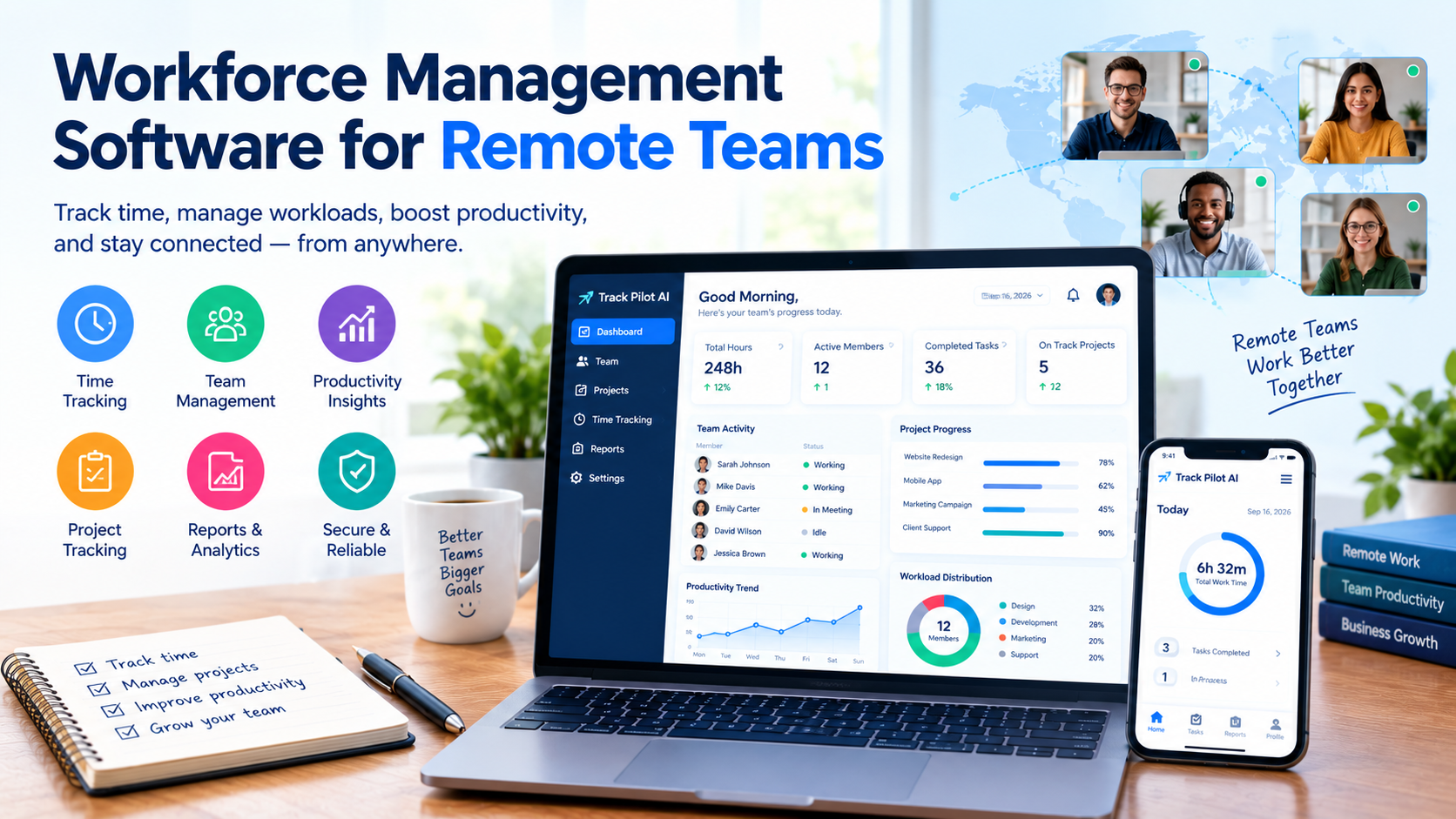
Workforce management software helps remote teams by organizing employee time, work activity, productivity data, workloads, and workforce reports in one place. Instead of relying only on meetings, spreadsheets, or manual updates, managers can use centralized work data to understand how distributed teams operate. Track Pilot AI supports this approach by giving businesses tools for time tracking, activity insights, productivity monitoring, and remote workforce visibility.
What Is Workforce Management Software?
Workforce management software is a digital system that helps businesses organize and understand employee work. Depending on the platform, it may include time tracking, attendance management, employee activity monitoring, productivity analytics, reporting, scheduling, and workload management.
For remote teams, the main benefit is visibility.
Managers cannot always see how work is progressing when employees are working from different locations. A workforce management platform provides structured information that helps managers understand work patterns without relying entirely on manual reports.
Common capabilities include:
-
Employee time tracking
-
Attendance and schedule management
-
Work activity monitoring
-
Productivity analytics
-
Timesheet management
-
Workforce reporting
-
Team dashboards
-
Workload visibility
-
Remote workforce analytics
The right solution should help managers make better decisions while maintaining reasonable expectations around employee privacy and transparency.
How Does Workforce Management Software Help Remote Teams?
Workforce management software can help remote teams in several practical ways, from improving time visibility to identifying workload problems.
1. It Gives Managers Better Visibility Into Remote Work
The biggest challenge with distributed teams is often visibility.
A manager may know what an employee is assigned to do but have limited insight into how they use their time or where delays occur.
Workforce data can provide a clearer picture of:
-
Hours worked
-
Project time
-
Activity patterns
-
Task progress
-
Workload distribution
-
Productivity trends
This does not mean managers should judge performance by hours alone. Instead, combine time and activity data with completed work, deadlines, quality, and business goals.
2. It Makes Employee Time Tracking Easier
Remote employees often work flexible schedules. This can make manual time records difficult to maintain.
Digital time tracking allows employees to record work hours more consistently while giving managers a central place to review the information.
Accurate time data can help businesses identify:
-
Overtime patterns
-
Underused capacity
-
Project time requirements
-
Scheduling issues
-
Time spent across different projects
For companies that bill clients by time, accurate records can also simplify project and invoicing processes.
3. It Helps Managers Understand Productivity
Remote productivity should not be reduced to simply counting hours.
A better approach is to look at several signals together. These can include working time, project progress, completed tasks, activity trends, deadlines, and workload.
Productivity analytics can help managers spot patterns that may otherwise remain hidden.
For example, if a team consistently spends more time on a certain process, the issue may not be employee performance. The process itself could be inefficient.
That distinction matters.
Good workforce analytics helps managers investigate why a problem is happening instead of assuming who is responsible.
4. It Helps Balance Employee Workloads
Uneven workloads can hurt both productivity and employee experience.
One remote employee may be handling several urgent projects while another has available capacity. Without centralized information, managers may not recognize the imbalance until deadlines are missed.
Workforce data can help managers compare workloads and identify areas that need attention.
Managers can then:
-
Reassign tasks
-
Adjust project schedules
-
Reduce unnecessary work
-
Add resources
-
Review process bottlenecks
-
Set more realistic deadlines
This makes workforce analytics useful for capacity planning and productivity management.
5. It Reduces Dependence on Manual Reports
Many remote teams still use spreadsheets, chat messages, and recurring meetings to collect basic work information.
These methods can work for small teams, but they become harder to manage as the organization grows.
A centralized workforce platform can reduce repetitive reporting by bringing relevant information into dashboards and reports.
Managers can spend less time collecting basic data and more time using that data to solve business problems.
6. It Supports More Consistent Remote Team Management
Remote employees should generally be managed using clear expectations and consistent processes.
A workforce management platform can help create that consistency by giving teams a shared system for recording time, reviewing activity, and monitoring workforce trends.
This is particularly useful when employees work across different locations or schedules.
However, technology should support management, not replace communication. One-on-one meetings, project discussions, feedback, and employee trust remain important.
What Features Should Remote Businesses Look For?
The best workforce management solution depends on the organization's size, work model, and management goals.
Remote businesses should consider these features:
Time tracking: Helps employees and managers maintain reliable records of working hours.
Employee activity monitoring: Provides visibility into work activity when appropriate and transparently communicated.
Productivity analytics: Helps managers identify patterns in work behavior and productivity.
Workforce dashboards: Bring important employee and team information into a central view.
Reporting: Makes it easier to review workforce trends and create useful reports.
Timesheet management: Simplifies creating, reviewing, and approving employee time records.
Workload visibility: Helps managers identify uneven workloads and capacity issues.
Integrations: Connects workforce data with other business systems when needed.
Businesses should also review data security, privacy controls, user permissions, ease of use, and scalability before choosing a platform.
Workforce Management vs. Employee Monitoring: What's the Difference?
Workforce management is broader than employee monitoring.
Employee monitoring generally focuses on observing work activity. Workforce management can include monitoring, but it also covers time tracking, scheduling, attendance, workloads, productivity analytics, reporting, and workforce planning.
For example, a manager may use workforce management data to discover that a project is taking longer than expected.
The next step is not necessarily to monitor employees more closely. Instead, the manager may review the project scope, workload, process, or staffing.
This broader approach makes workforce data more useful for business decisions.
How Can Managers Use Workforce Data Responsibly?
Use remote workforce technology with transparency and a clear business purpose.
Managers can create healthier tracking practices by:
-
Explaining what information is collected
-
Telling employees why it is collected
-
Measuring outcomes as well as activity
-
Avoiding unnecessary micromanagement
-
Protecting workforce data
-
Reviewing trends instead of isolated events
-
Using data to improve workflows
-
Giving employees a chance to explain unusual results
The objective should be better visibility and better decisions—not making employees feel constantly watched.
Case Study 1: Remote Marketing Agency
Imagine a 25-person marketing agency with employees working remotely across several US states.
The agency uses spreadsheets for time tracking and weekly meetings for project updates. As the business grows, managers struggle to understand how much time different client projects require.
The agency introduces centralized time tracking and workforce reporting.
Managers discover that several recurring client tasks consistently take longer than planned. Instead of assuming employees are working inefficiently, they review the workflow and find that multiple approval steps are creating delays.
The agency simplifies the approval process and adjusts project planning.
Workforce data can help managers identify workflow problems that may otherwise look like employee productivity issues.
Case Study 2: Distributed Software Team
Consider a software company with developers, designers, and project managers working remotely.
Several projects regularly miss internal deadlines. Management initially suspects that development productivity is the main problem.
After reviewing project time and workload patterns, the company discovers that developers are frequently interrupted by customer support requests during development cycles.
The company changes its workflow by assigning dedicated support coverage during important development periods.
The result is a more focused development process and clearer workload planning.
Workforce analytics can help businesses understand whether delays stem from workload, interruptions, processes, or resource allocation.
These examples are illustrative and are not claims about Track Pilot AI customer results.
What Are the Benefits of Workforce Analytics for Remote Teams?
Workforce analytics can turn raw employee and time data into usable information.
Key benefits include:
-
Better visibility into distributed work
-
More accurate time records
-
Improved workload planning
-
Earlier identification of workflow problems
-
Better project planning
-
More consistent workforce reporting
-
Greater insight into productivity trends
-
Reduced reliance on manual reporting
The value comes from how managers interpret and act on the data. A dashboard alone does not improve a team. Better decisions based on useful information can.
How to Choose the Right Workforce Management Software
Businesses should start by identifying the problem they want to solve.
For example:
If time visibility is the main problem: prioritize reliable time tracking and timesheets.
If productivity is the concern: look for activity insights and productivity analytics.
If workloads are uneven: prioritize workforce reporting and workload visibility.
If the team is growing: consider scalability, integrations, permissions, and reporting capabilities.
If privacy is a major concern: review data collection policies, access controls, and transparency features carefully.
Choosing software based on actual management needs is usually better than selecting a platform simply because it has the longest feature list.
Frequently Asked Questions
What is workforce management software?
Workforce management software helps businesses organize employee time, schedules, workloads, activity, productivity data, and workforce reporting. Features vary by provider.
How does workforce management software help remote employees?
It gives remote teams a structured way to record work time, manage workloads, understand productivity patterns, and maintain visibility across distributed work environments.
Can workforce management software improve remote productivity?
It can provide data that helps managers identify productivity patterns, workload problems, and inefficient processes. However, software alone does not guarantee higher productivity.
Does workforce management software monitor employees?
Some platforms include employee activity monitoring, while others focus mainly on time, schedules, and workforce planning. Businesses should review exactly what a platform collects before implementing it.
What features should remote teams prioritize?
Important features can include time tracking, workforce analytics, activity insights, reporting, dashboards, workload visibility, timesheet management, integrations, and privacy controls.
Is workforce management software suitable for small businesses?
Yes. Small businesses can use workforce tools when they need better visibility into employee hours, workloads, projects, or remote work. The key is choosing a solution that matches the team's size and actual needs.
Conclusion
Remote teams need visibility without unnecessary micromanagement. Workforce Management Software can help businesses organize employee time, understand productivity trends, identify workload problems, and improve workforce planning from a central system.
The most effective approach combines workforce data with clear goals, communication, employee feedback, and responsible management practices. Time and activity metrics should support business decisions rather than become the only measure of employee performance.
For businesses managing distributed teams, Track Pilot AI provides tools for time tracking, activity insights, productivity monitoring, and workforce visibility. These capabilities can help managers better understand remote work while creating more organized processes for distributed teams.
 English
Join our community to interact with posts!