
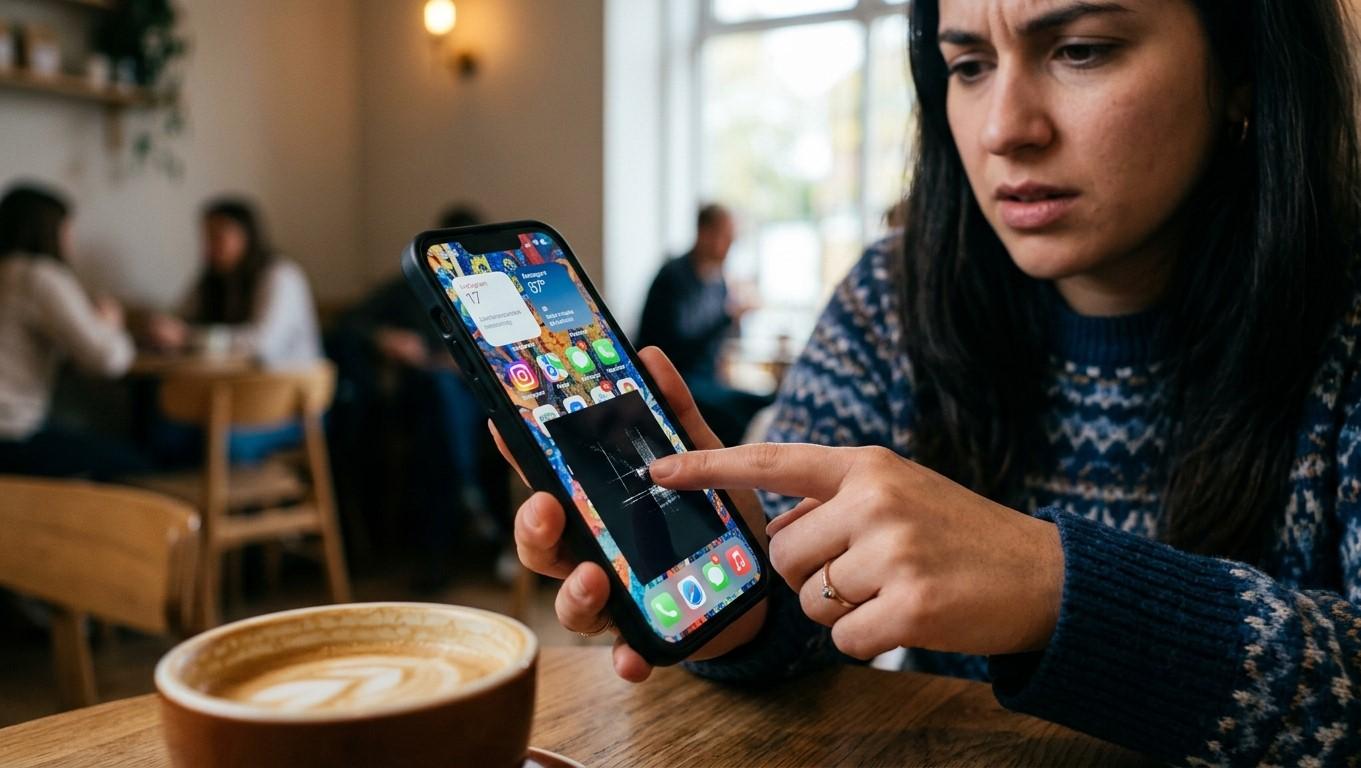
A responsive touchscreen is one of the most important parts of a modern smartphone. Whether you are typing messages, browsing websites, using apps, taking photos, or navigating through settings, you expect every part of the display to respond accurately to your touch.
However, you may sometimes notice that certain areas of your smartphone screen stop responding while the rest of the display continues to work normally. For example, one section may fail to recognize taps, a specific keyboard key may stop working, or swiping may become difficult in one area.
This type of problem can be caused by a temporary software issue, a damaged screen, moisture, a poorly fitted screen protector, physical impact, or a problem with the touchscreen's internal components. Understanding the possible causes can help you determine whether simple troubleshooting may solve the issue or whether professional repair is necessary.
For customers experiencing persistent touchscreen problems, NanoTech provides smartphone repair support for those searching for reliable samsung phone repair regina sk services.
Table of Contents
- How Does a Smartphone Touchscreen Work?
- Common Reasons Certain Areas Stop Responding
- Screen Protector Problems
- Dirt, Moisture, and Debris
- Software Glitches
- Apps Causing Touchscreen Problems
- Physical Screen Damage
- Internal Touchscreen Damage
- Problems After a Screen Replacement
- Smartphone Overheating
- How to Test an Unresponsive Touchscreen
- How to Fix Touchscreen Problems
- When to Seek Professional Repair
- How to Prevent Touchscreen Problems
- FAQs
- Conclusion and CTA
How Does a Smartphone Touchscreen Work?
Modern smartphones typically use capacitive touchscreen technology to detect touch.
When you touch the screen with your finger, the touchscreen detects changes in an electrical field and translates them into commands. The phone's software then determines what action should occur based on the location of your touch.
Because touchscreen functionality depends on both hardware and software, a problem in either area can affect responsiveness.
A touchscreen issue may involve:
- The display assembly.
- Touch-sensitive components.
- Internal connectors.
- Software.
- Screen calibration or configuration.
- Physical damage.
- Moisture or contamination.
If only one section of the display is affected, the problem may be more localized than a general software slowdown.
Common Reasons Certain Areas Stop Responding
There are several reasons why a particular part of a smartphone screen may stop detecting touch.
Common causes include:
- A damaged display.
- Cracked screen glass.
- A defective screen protector.
- Dirt or moisture.
- Temporary software glitches.
- A problematic application.
- Physical impact.
- Internal connector problems.
- A poor-quality replacement screen.
- Excessive heat.
Identifying when the problem started can provide useful clues.
For example, if the touchscreen stopped responding immediately after the phone was dropped, physical damage becomes more likely.
Screen Protector Problems
A screen protector is designed to protect the display, but certain protectors can interfere with touchscreen responsiveness.
Problems may occur when a protector is:
- Too thick.
- Incorrectly installed.
- Cracked.
- Lifting from the display.
- Covered with air bubbles.
- Contaminated with dirt or moisture.
If only a particular area beneath the protector is difficult to use, carefully removing or replacing the protector may help determine whether it is contributing to the problem.
Always follow the manufacturer's instructions when removing a screen protector, particularly if the underlying display is already damaged.
Dirt, Moisture, and Debris
Touchscreens can become less responsive when the surface is contaminated.
Oil, dirt, moisture, and debris may interfere with accurate touch detection.
Clean the display gently using a suitable microfiber cloth. Avoid pouring or spraying liquid directly onto the smartphone.
If the device has recently been exposed to water or another liquid, touchscreen problems may indicate internal moisture rather than simple surface contamination.
In that situation, further testing or charging may not be advisable until the device has been properly assessed.
Software Glitches
Not every touchscreen problem is caused by physical damage.
Temporary software glitches can sometimes cause certain touch functions to behave incorrectly.
A software-related touchscreen issue may appear after:
- A system update.
- An application update.
- A temporary operating-system error.
- A system crash.
- Changes to accessibility or display settings.
Restarting the smartphone is one of the simplest troubleshooting steps.
If the problem disappears after restarting but returns later, additional software troubleshooting may be necessary.
Apps Causing Touchscreen Problems
Sometimes the touchscreen works normally throughout the phone except when using a particular application.
This may indicate an app-specific issue rather than a defective display.
To determine whether an app is involved:
- Close the application.
- Open another app.
- Test the same area of the screen.
- Restart the smartphone if necessary.
- Check whether an update is available for the affected app.
If the screen works normally everywhere except one application, updating or reinstalling that app may resolve the issue.
Physical Screen Damage
A cracked or damaged display is one of the most common reasons for localized touchscreen problems.
A phone can suffer internal touchscreen damage even when the visible crack appears relatively small.
Potential causes include:
- Dropping the smartphone.
- Pressure on the display.
- Bending or twisting the device.
- Impact against a hard surface.
- Heavy objects pressing against the screen.
Localized dead zones can develop when the touch-sensitive portion of the display is damaged.
If the problem appeared after an impact, professional inspection may be appropriate.
Internal Touchscreen Damage
The touchscreen depends on internal components and connectors that communicate touch information to the phone.
Damage to these components can cause:
- Dead zones.
- Random touches.
- Delayed touch response.
- Touches registering in the wrong location.
- Intermittent responsiveness.
Internal damage may not be visible from the outside.
A professional technician can inspect the display assembly and internal connections to determine whether the touchscreen itself requires replacement or whether another component is responsible.
Problems After a Screen Replacement
If touchscreen problems begin after a display replacement, the replacement assembly or installation should be considered as a possible cause.
Potential issues can include:
- Poor-quality replacement components.
- Incorrect installation.
- Loose internal connections.
- Compatibility problems.
- Damage during installation.
If the same area of the display repeatedly fails after a screen repair, returning to the repair provider for inspection may be appropriate.
For customers looking for cell phone repair regina sk, choosing a repair provider that uses compatible components and follows appropriate installation procedures can help reduce the risk of recurring touchscreen problems.
Smartphone Overheating
Excessive heat can affect smartphone performance and may temporarily influence touchscreen behavior.
Overheating can result from:
- Heavy gaming.
- Intensive applications.
- Charging in hot environments.
- Direct sunlight.
- Poor ventilation.
- Battery or hardware problems.
If the screen becomes less responsive when the phone is unusually hot, allow the device to cool naturally before continuing to use it.
Avoid placing a hot smartphone in a freezer or using extreme cooling methods, as sudden temperature changes can cause additional problems.
How to Test an Unresponsive Touchscreen
If certain areas of your screen are not responding, you can perform a few simple checks.
Test Different Areas
Open a simple application and tap different parts of the screen.
Determine whether the problem affects:
- One small area.
- A horizontal section.
- A vertical section.
- Multiple scattered areas.
- The entire display.
Test the Keyboard
Open the keyboard and try typing every key.
If specific keys consistently fail while nearby keys work, the problem may be localized to that area of the touchscreen.
Rotate the Screen
If supported, rotate the phone and test the same physical area of the display again. This can help determine whether the issue follows a particular location on the physical screen or appears only within a specific interface.
Restart the Device
Restart the smartphone and test the screen again after it boots.
Remove the Screen Protector
If you suspect the protector is interfering with touch detection, testing without it can help isolate the cause.
How to Fix Touchscreen Problems
The appropriate solution depends on the underlying cause.
Clean the Display
Remove dirt, fingerprints, and moisture using a soft, dry microfiber cloth.
Restart the Smartphone
A restart can resolve temporary software-related touchscreen issues.
Update the Software
Check for available system updates that may address bugs or compatibility problems.
Update Problematic Apps
If the touchscreen issue only occurs inside a particular application, update or reinstall that application.
Remove a Problematic Screen Protector
A damaged or poorly installed protector may need to be replaced.
Allow an Overheated Device to Cool
Stop intensive use temporarily and allow the phone to return to a normal temperature.
Consider Professional Diagnostics
If a specific area remains completely unresponsive, particularly after physical damage, professional inspection may be necessary.
When to Seek Professional Repair
Professional assistance is recommended when touchscreen problems persist despite basic troubleshooting.
Consider seeking repair if:
- A section of the screen remains completely unresponsive.
- The phone has been dropped.
- The display is cracked.
- The screen shows random touches.
- Touch input is delayed or inaccurate.
- The problem began after liquid exposure.
- The issue appeared after a screen replacement.
- Multiple areas of the display have stopped working.
For customers searching for phone repair regina sk, professional diagnosis can help determine whether the issue involves the display assembly, internal connectors, software, or another component.
Samsung users experiencing persistent touchscreen problems can also seek samsung phone repair regina sk assistance to determine whether the display requires professional repair.
How to Prevent Touchscreen Problems
Although some screen failures are unavoidable, good device care can reduce the risk.
Use a Protective Case
A suitable case can help protect the phone from impacts that may damage the display.
Use a Quality Screen Protector
A properly fitted protector can reduce scratches and minor surface damage.
Keep the Screen Clean
Regularly remove fingerprints, dirt, and moisture from the display.
Avoid Excessive Pressure
Do not place heavy objects on the smartphone or apply unnecessary pressure to the screen.
Protect the Phone From Moisture
Even devices with some level of water resistance should not be unnecessarily exposed to liquids.
Avoid Excessive Heat
Keep the smartphone away from extreme temperatures and allow it to cool if it becomes unusually hot.
FAQs
Why is only part of my smartphone screen not responding?
A localized dead zone can be caused by display damage, a faulty touchscreen layer, internal connector problems, a screen protector, moisture, or software issues.
Can restarting my phone fix an unresponsive screen?
It can if the problem is caused by a temporary software glitch. If the same physical area remains unresponsive after restarting, a hardware problem becomes more likely.
Can a screen protector cause touch problems?
Yes. A thick, damaged, incorrectly installed, or poorly fitted screen protector can sometimes interfere with touch responsiveness.
Why did my touchscreen stop working after dropping my phone?
An impact can damage the touchscreen layer or internal display connections even if the visible glass does not appear severely damaged.
Can water cause certain parts of the touchscreen to stop working?
Yes. Liquid exposure can affect internal display components and connectors. If your phone has been exposed to liquid and develops touch problems, professional assessment may be appropriate.
Do I need to replace the entire screen?
Not necessarily. The required repair depends on the cause. A software problem, screen protector, loose connection, or other issue may be responsible. A technician can determine whether display replacement is actually necessary.
Why does my touchscreen work sometimes but not at other times?
Intermittent touchscreen problems can result from software glitches, overheating, loose internal connections, display damage, or other hardware issues. Tracking when the problem occurs can help with diagnosis.
Conclusion
When certain areas of a smartphone screen stop responding to touch, the cause can range from a simple screen protector or software problem to physical display damage or an internal hardware fault. Testing the screen, restarting the phone, cleaning the display, checking software updates, and removing a problematic screen protector can help identify some common causes.
If a particular area remains unresponsive or the problem began after a drop, liquid exposure, or previous screen repair, professional diagnosis may be necessary. Continuing to use a device with a worsening touchscreen problem can also make everyday tasks increasingly difficult.
NanoTech provides smartphone repair support for customers searching for phone repair regina sk. Proper diagnostics can help identify the actual source of touchscreen problems and determine the appropriate repair solution.
Call to Action
Is part of your smartphone screen no longer responding to touch? Start with simple troubleshooting, but consider professional inspection if the problem persists or follows physical damage.
If you need cell phone repair regina sk or samsung phone repair regina sk, professional smartphone diagnostics can help determine whether your device needs a screen repair, component repair, or another solution.
 English
Join our community to interact with posts!